
Recently, I was reminded how infrequently the F4 function in Excel gets used to its fullest… everytime I show someone this function, they love it – it’s easy, fast, and versatile! If you’re not familiar with it, try it out and show a colleague – it is
Read more →How to Reduce Excel File Size Follow these 4 steps to reduce the size of your file and speed up Excel response time. There are some simple things you can do to reduce the size of a large Excel file and speed up operation. Below are some

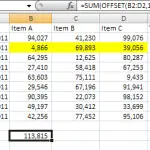
Read more →What is the Offset Function? You can read about the excel offset function here – there are several examples and explanations showing how the different parts of the offset function work. This page is going to show an example of a dynamic print range. Excel Offset Function
Read more →What is the Offset Function? The offset function is a powerful Excel formula, the purpose of which is to return a single value or a range of values that is a given number of rows or columns from a specified reference (i.e. a specific cell – your
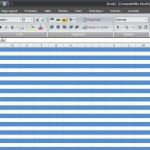
Read more →Automatically Alternate Row Coloring in Excel Two Ways to Alternate Row Coloring in Excel If you’re using excel 2007 or 2010, probably the quickest and easiest way to get automatically alternate row coloring is by using Excel’s built-in table feature. However, there are several instances when the solution
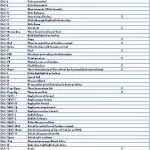
Read more →If you spend a lot of time on the keyboard, learning a few tricks will not only speed things up but simplify your life. All of the shortcut keys below are Excel focused. This is a free template for download, and you can easily modify it to
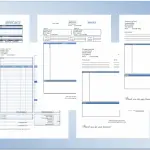
Read more →Simple, easy to use, free Excel invoice templates that can be customized to fit your specific circumstance. Perfect for companies in the service, construction, consulting, or sales and service industries. These invoice templates can all be downloaded for free and modified to fit your billing needs. Excel
Read more →Take useful Excel Add-in’s and add them to your Quick Access Toolbar. The Quick Access Toolbar is located at the top of the Ribbon as shown below. Add an Add-in to the Quick Access Toolbar and assign it it’s own unique icon in 4 easy steps. How
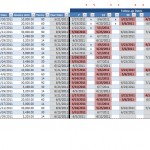
Read more →How do I keep track of when to follow-up on open invoices? Or a more simple way to put it, ‘How do I manage accounts receivable’? This was a question from an accounts receivable manager who was trying to monitor contact with multiple customers. The time between when
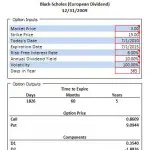
Read more →Need a European-style Black-Scholes calculator to compute the value of a Put Option or Call Option? Just interested in how the calculation works? Want something just to double check a calculation? Either way, this spreadsheet will help. All of the formulas can be read (and modified if you
Read more →