Figuring out how much you need to save for retirement can be a difficult task. Because of the uncertainties that exist it’s impossible to know exactly how much you’ll need to retire securely. However, don’t let those uncertainties deter you from proper planning. There are several things you can do to give yourself the best chances of success. One of those, is estimating how much you’ll need in retirement with a retirement calculator.
Retirement Calculator
System Requirements & Download
Retirement Calculator Download
Download 112.50 KB 8998 downloads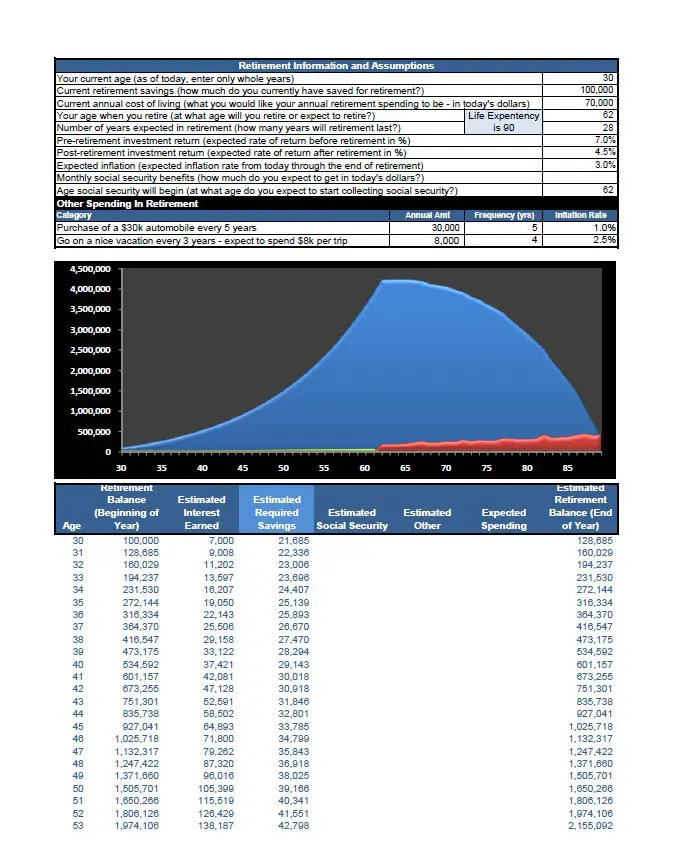
This retirement calculator is designed to help you plan for retirement. Download the spreadsheet, plug in your personal information and see your estimated “required savings.” Now you can adjust the inputs to see how your retirement could be impacted. Here’s how it works, in 2 steps:
Retirement Calculator Step 1
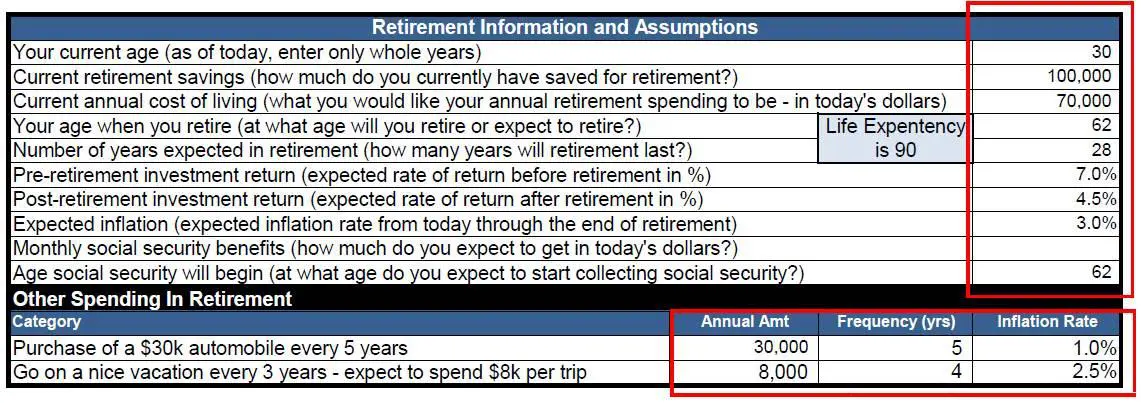
Input the required information; as shown in the picture. The retirement calculator allows you to have different rates of return (on your retirement investments) pre- and post- retirement. People generally have a more conservative portfolio during retirement. Also, you can break up your future spending by breaking out large purchases that will not be reoccurring annually.
Retirement Calculator Step 2
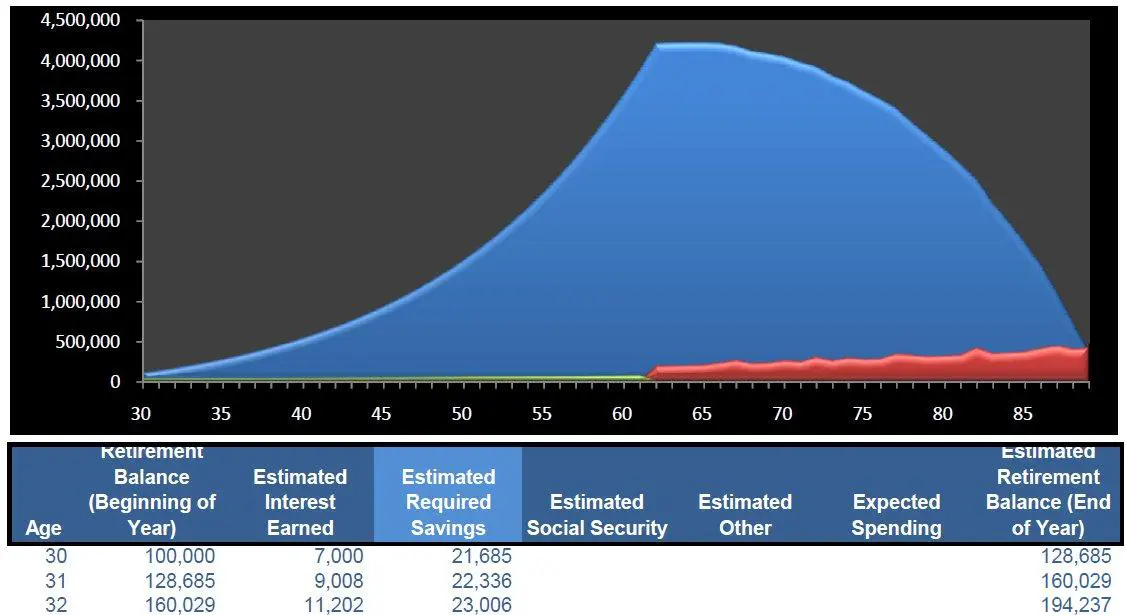
Evaluate your results. Based on your inputs this calculator will estimate your annual savings each year from the current year to retirement. Want to see the impact of waiting 1 year to start saving? Just modify your “current age”. Or, maybe you want to see the impact of inflation being just 1% higher (or lower), make the change. It’s impossible to know what’s going to happen in the future, but you can use this calculator to evaluate how slight modifications will impact your required savings.
Other Useful Information
- Use this retirement calculator to estimate how much your current retirement savings will be worth in the future. To do this just input your age, current retirement savings, age at retirement, years in retirement, and the pre- and post- rates of return. Leaving all other cells blank you can see the future value of your current savings.
- Check your life expectancy. After you enter your retirement age and years in retirement, your life expectancy will calculate. Because how long you live has a significant impact on your required savings, you’ll want to be sure you have a reasonable life expectancy.
- Apply individual inflation rates to big purchases. Maybe you’ll have some large expenses that you don’t expect to incur annually, input those in the Other Spending section. Apply individual rates of inflation to each purchase.
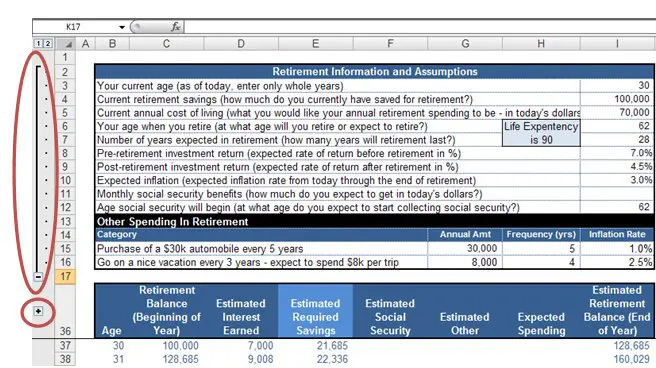
- Expand or collapse the inputs and/or the graph. In the picture below, you can see that the graph has been collapsed, use the grouping buttons (highlighted by the red circles) to expand or collapse the information you don’t need.