
Every business should leverage an accounts receivable aging to manage balances outstanding. However, not every business has the need for an expensive accounts receivable ledger or system. This accounts receivable aging is an excel template that makes it easy to age invoices. It’s also been designed to support good controls over the accounts receivable process. It does this by providing a place for a ‘Prepared By’ and ‘Reviewed By’ signature and date.
Accounts Receivable Aging
System Requirements & Download
AR Aging Download
Download 31.76 KB 28355 downloads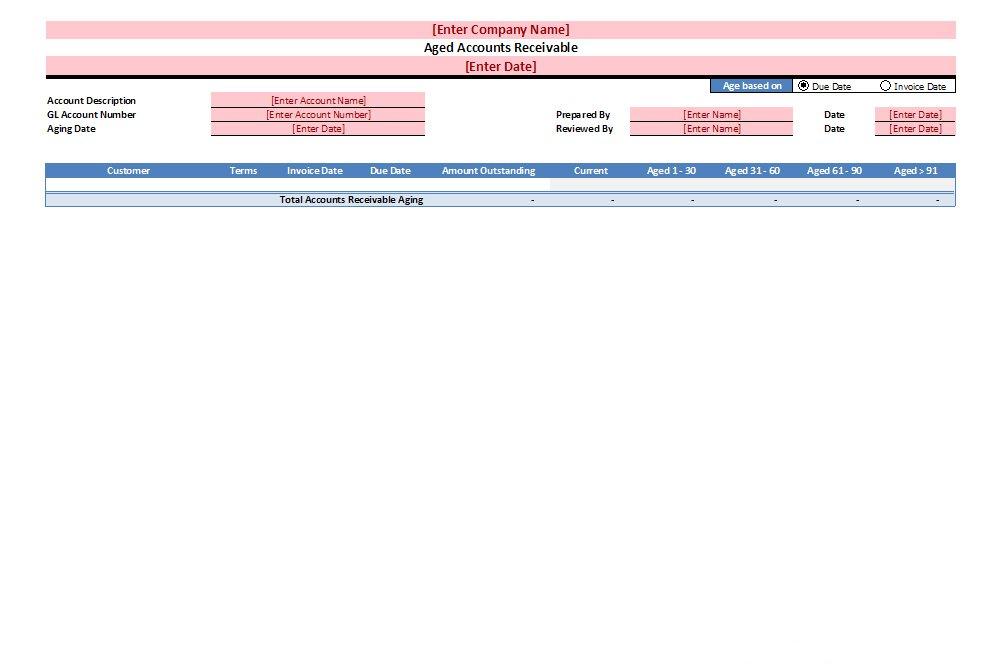
AR Aging Incomplete
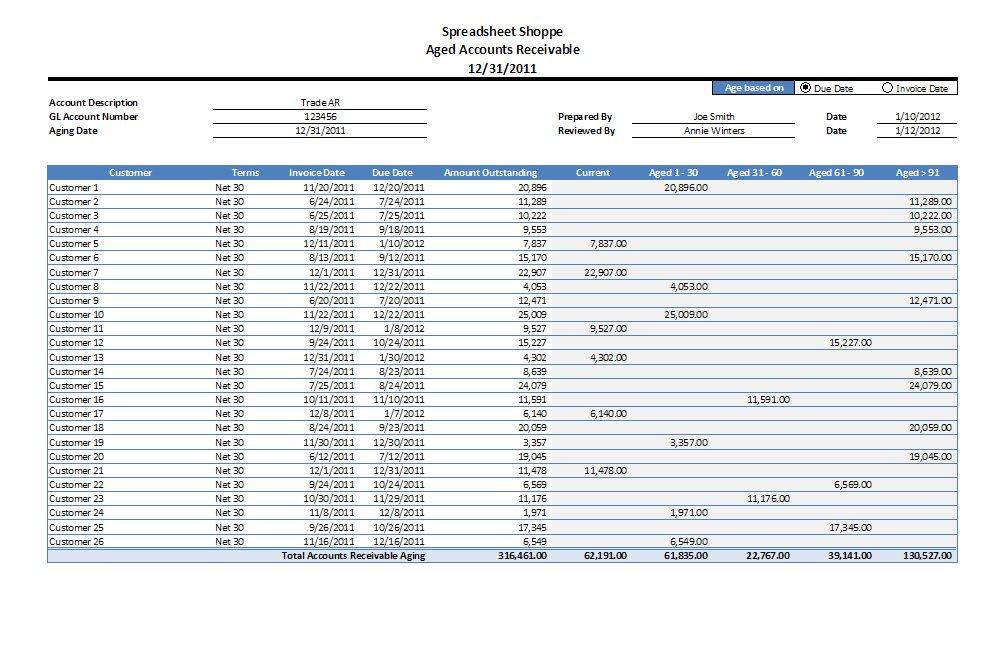
AR Aging Complete
The Accounts Receivable Aging, or AR Aging, is the perfect tool to keep track of amounts due to you or your company. We’ve set this AR Aging up so that it is quickly completed and maintained. It leverages Excel Tables, making it simple to customize. AR Agings are commonly used to aid in operational and administrative decision-making:
- Determining What Needs Attention – The longer amounts remain unpaid, the more difficult it may become in collecting. Having an updated aging handy will help prioritize collection efforts.
- Preventing Sales to Slow Customers – Use the AR Aging to make sure slow paying customers pay in full before making large sales. Filter or sort this list by customer to see the standing of each customer.
- Calculating a Reserve – If only everyone paid for the goods and/or services they received. Because collection of accounts receivable is not guaranteed, there is a need to set up an AR Reserve (i.e., Allowance for Bad Debt). Using an AR Aging as part of this analysis will help in accurately calculating such a reserve.
- Testing Your Aging System – Sometimes its a good idea to test your system. Auditors will recalculate the AR Aging during their audit procedures. This helps to test that the system is functioning as intended. Why wait when you could do it yourself?
How to Use
Here are some basic instructions for use.
- Update the red cells with current information. The only cell that must be completed is the Aging Date – this will be the date that each invoice is aged against.
- Use the Toggle options, in the upper right hand corner of the spreadsheet, to select between an aging based on Due Date and one based on Invoice Date. The formulas automatically update.
- To add rows, you can copy and paste all of your data into the table and the table will automatically update. Another option is to click on the last cell under the > 90 column and push the “Tab” button on your keyboard. This will add a new row will automatically. With either method, the formulas adjust accordingly.
- Reconcile to the general ledger – make sure the information entered agrees with what’s in your system.
Here is a short video showing the basics of this template.
[youtube=http://www.youtube.com/watch?v=Ek5h6INj0VE&rel=0&w=600&h=480]